 By Madison Pagi
In the contemporary era, software is the invisible engine driving global civilization. It is the intangible layer of logic that translates human intent into machine action. Defined broadly, software is a collection of instructions, data, or programs used to operate computers and execute specific tasks. While hardware represents the physical body of a computing system, software serves as its mind. From the sophisticated algorithms that manage global power grids to the simple applications on a mobile device, software has redefined how humans interact with the physical world.
The journey of software has transitioned from manually punched cards and room-sized processors to cloud-native applications and artificial intelligence. This evolution is not merely a technical triumph but a fundamental shift in how society solves problems, manages information, and communicates across borders. Understanding the architecture and categories of software is essential for navigating the modern economic landscape.
The Taxonomy of Software Systems
To understand the vast ecosystem of digital tools, it is helpful to categorize software based on its function and its proximity to the hardware it controls. The three primary classifications are system software, application software, and programming software.
System Software: The Foundational Layer
System software acts as the intermediary between the computer hardware and the user or application programs. Its primary goal is to manage the internal resources of a computer. The most recognizable form of system software is the Operating System (OS), such as Microsoft Windows, macOS, or Linux. The OS handles memory management, process scheduling, and hardware communication.
Other critical types of system software include firmware, which provides low-level control for a device’s specific hardware, and utility software, which performs maintenance tasks like disk defragmentation, virus scanning, and data compression. Without system software, a computer would be a collection of inert components incapable of executing complex logic.
Application Software: The User-Facing Tools
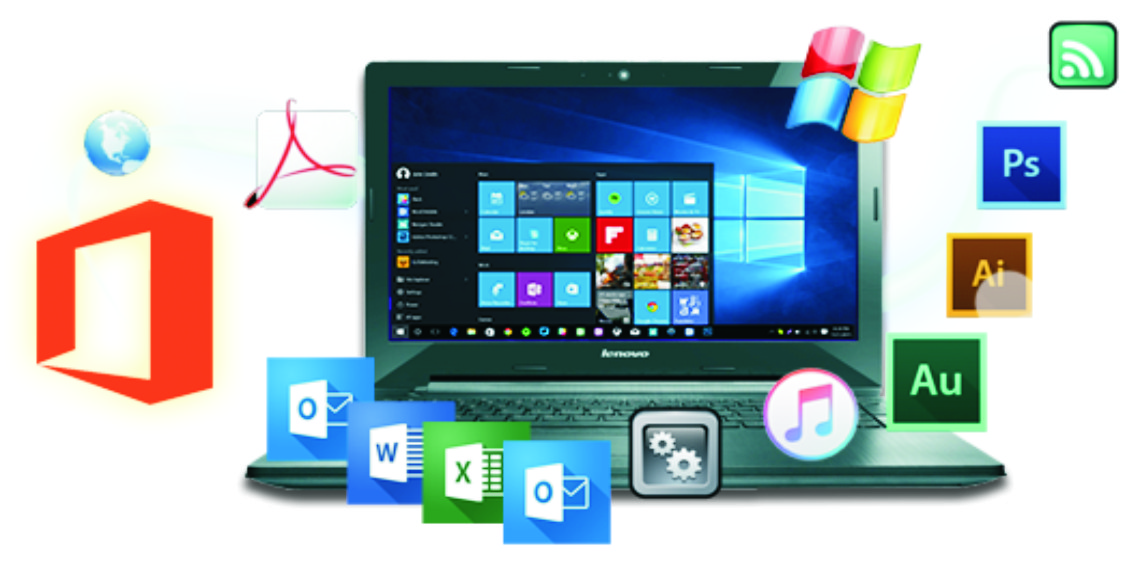
Application software, often referred to as “apps,” is designed to help users perform specific tasks. This is the layer of software that most people interact with daily. Application software is highly diverse, ranging from office productivity suites and web browsers to specialized tools for graphic design, financial accounting, and video editing.
In recent years, the delivery model for application software has shifted from local installation to Software as a Service (SaaS). In this model, applications are hosted in the cloud and accessed via the internet, allowing for real-time collaboration and automatic updates. This shift has democratized access to powerful computing tools for individuals and small businesses alike.
Programming Software: The Tools of Creation
Programming software consists of the tools used by developers to write, test, and debug other software. This includes compilers, debuggers, interpreters, and Integrated Development Environments (IDEs). These tools allow humans to write code in high-level languages that are readable and then translate that code into machine-level instructions that the processor can execute.
The Software Development Lifecycle (SDLC)
Building high-quality software is a rigorous engineering discipline. The process is governed by the Software Development Lifecycle, a structured framework that ensures the final product is reliable, secure, and functional.
-
Requirement Gathering and Analysis: This phase involves defining what the software is intended to achieve. Developers work with stakeholders to document the specific problems the software must solve.
-
Design: Architects create the technical blueprint, determining how the data will flow, which databases will be used, and how the user interface will be structured.
-
Implementation (Coding): Developers write the source code using specific programming languages like Python, Java, or C++.
-
Testing: Quality assurance engineers subject the software to various tests to identify bugs, security vulnerabilities, and performance bottlenecks.
-
Deployment and Maintenance: Once the software is released, it requires ongoing maintenance to address new security threats, ensure compatibility with updated hardware, and add new features based on user feedback.
The Open Source Revolution
One of the most significant cultural shifts in the history of technology is the rise of open-source software. In this model, the source code is made available to the public, allowing anyone to inspect, modify, and distribute it. Projects like the Linux kernel, the Apache web server, and the Android operating system have proven that collaborative development can produce software that is as robust and secure as proprietary alternatives.
Open source fosters a community-driven approach to innovation. It prevents vendor lock-in and allows developers from across the globe to contribute to solutions that benefit the entire digital ecosystem. Many of the world’s most critical infrastructures now run on open-source foundations, highlighting its reliability and transparency.
Cybersecurity and Software Integrity
As software becomes more integrated into the fabric of daily life, the stakes for software security have never been higher. A single vulnerability in a widely used library or application can have cascading effects on global commerce and privacy. Modern software development now emphasizes “Security by Design,” incorporating defensive measures at every stage of the lifecycle.
Developers must account for threats such as SQL injection, cross-site scripting, and buffer overflows. Furthermore, the rise of the “Software Supply Chain” means that a company must not only secure its own code but also verify the security of any third-party components or open-source libraries it incorporates into its products.
The Future of Software: AI and Low-Code Evolution
The future of software is being shaped by two seemingly contradictory trends: the rise of Artificial Intelligence and the move toward “low-code” or “no-code” platforms.
AI-Driven Development
Artificial Intelligence is increasingly being used to write software. Large language models can suggest code improvements, automate documentation, and even generate entire functions from natural language prompts. This is shifting the role of the programmer from a manual writer of syntax to a high-level architect who oversees and validates AI-generated logic.
Democratic Development
Low-code platforms allow non-technical users to build functional applications using visual interfaces and pre-built components. This “democratization of development” enables business analysts and entrepreneurs to prototype and deploy tools without a deep background in traditional computer science. While this increases speed and agility, it also creates new challenges for governance and technical consistency within organizations.
Software is no longer just a tool we use; it is the environment in which we live, work, and interact. As it continues to evolve, the focus will increasingly move toward creating software that is not only powerful but also ethical, inclusive, and sustainable.
Frequently Asked Questions
What is the difference between proprietary software and open-source software?
Proprietary software is owned by an individual or a company, and the source code is kept secret. Users typically pay for a license to use it but cannot modify or share the code. Open-source software is publicly accessible; anyone can see the code, modify it, and share their versions, often for free, provided they follow specific license agreements.
What does it mean for software to be “cloud-native”?
Cloud-native software is designed specifically to run in a cloud computing environment. Instead of being built as a single, monolithic block of code, it is usually broken down into small, independent “microservices.” This allows the software to be highly scalable, resilient, and updated without taking the entire system offline.
Why does software require frequent updates?
Updates serve several purposes: they patch security vulnerabilities that hackers might exploit, fix bugs that cause crashes, improve performance, and add new features. In some cases, updates are also necessary to ensure the software remains compatible with new versions of the operating system or hardware.
What is the role of an API in software?
An Application Programming Interface (API) is a set of rules that allows different software applications to communicate with each other. For example, when an app shows you a map, it is likely using an API to request data from Google Maps or a similar service. APIs are the “connectors” of the digital world.
What is “bloatware” and how does it affect a system?
Bloatware refers to pre-installed software on a new device that the user did not ask for and rarely uses. It can degrade system performance by consuming storage space, using background processing power, and slowing down the boot process. Many users choose to uninstall or disable bloatware to optimize their devices.
How does virtualization software work?
Virtualization software allows a single physical computer to run multiple “virtual” computers at the same time. This is done by creating a software layer that mimics hardware. It is widely used in data centers to maximize the efficiency of servers and by developers to test software across different operating systems on a single machine.
What is the “end-of-life” status for a software product?
When software reaches “end-of-life,” the developer stops providing updates, bug fixes, or technical support. Using software that has reached this status is dangerous because new security vulnerabilities will never be patched, leaving the system open to cyberattacks.